 In developmentiOS · Free
Spanner
An offline maintenance log that keeps your car's service history on your phone.
Spanner is a vehicle maintenance log for iPhone. There is no account, no server, no tracking, no analytics, no ads and no subscription. Your vehicles, service records, reminders and receipt photos live in a local SQLite database on the device — so there is nothing to log into, and nothing to lose when a server goes away.
Availability
Spanner is in TestFlight and is not on the App Store yet. There is no public download link to give you at the moment. If you would like to try the beta, email me and I will send you a TestFlight invite.
Features
01
A garage, not a spreadsheet
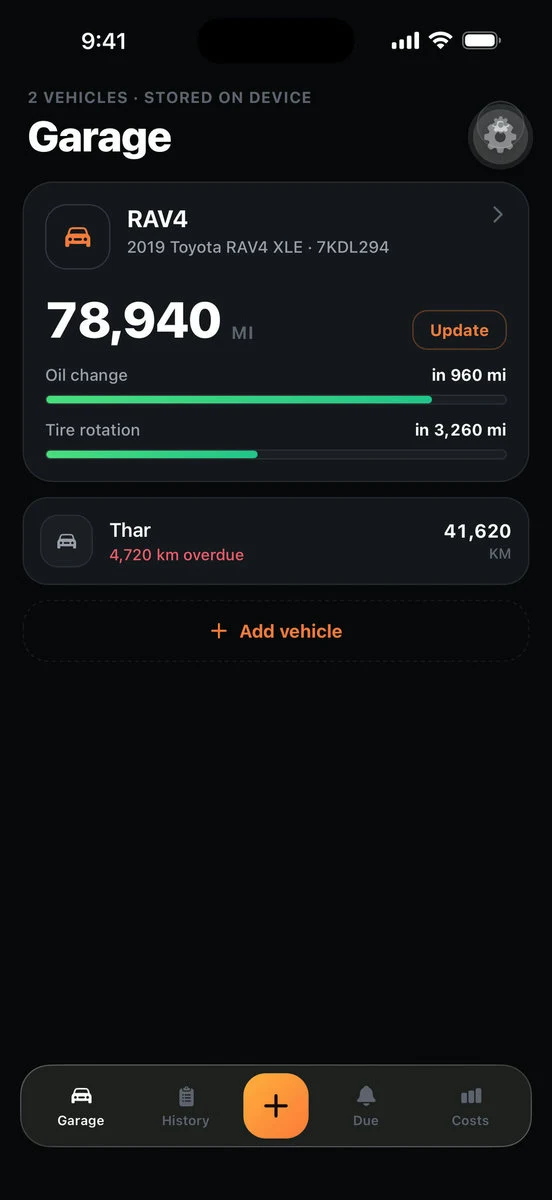
Add as many vehicles as you like — cars, trucks, motorcycles. Each one shows its odometer front and centre with a one-tap update, and meters for what is due and what is coming. A glance tells you where you stand without opening anything.
02
Log a service in one tap
Preset tiles cover the jobs people actually do — oil and filter, brakes, tires, fluids, battery — and a free-text custom option covers everything else. The odometer prefills from your last reading and the date defaults to today. Cost, vendor, notes and a receipt photo are all optional, and saving never blocks on any of them.
03
History that reads like a logbook
Your full timeline, grouped by year, with cost, vendor, notes and receipts attached to each entry. Filter by service type to see just the oil changes, or just the tires. Edit or delete any record — it is your log.
04
Reminders by distance, date, or both
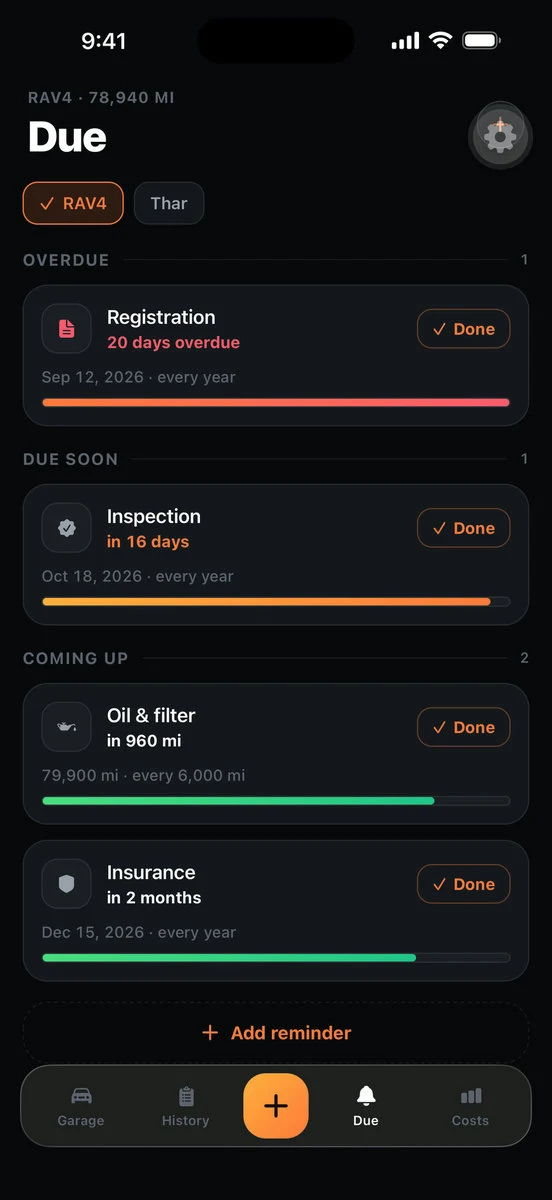
Set a reminder for the next oil change in 5,000 miles, the inspection in March, or both at once, with repeats for the things that come round every year. Registration, inspection and insurance are included, since those are what people actually forget.
05
What your car actually costs
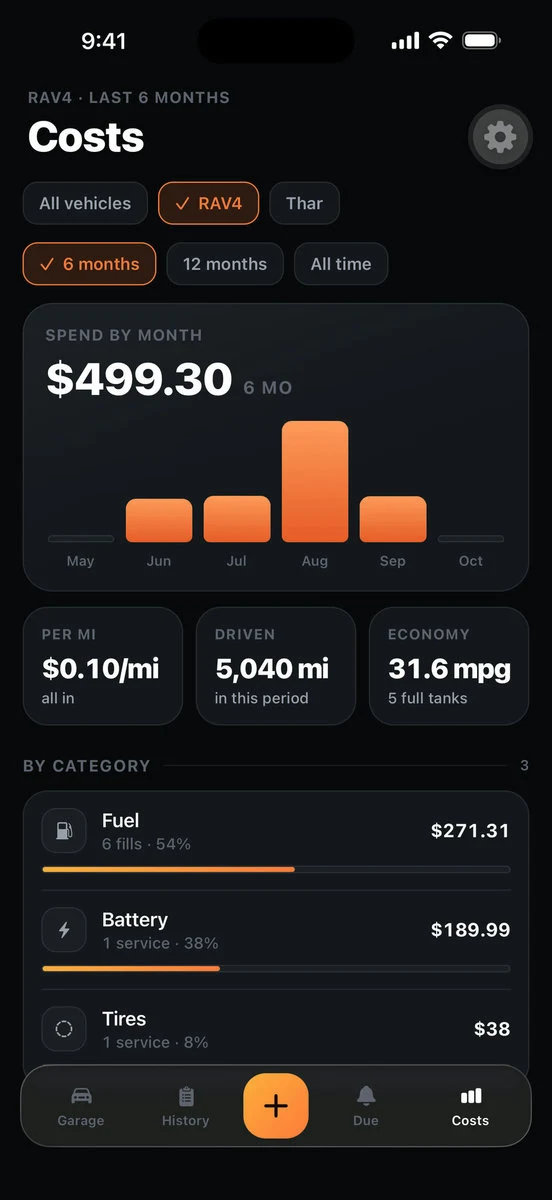
Spend by month and by category, cost per mile or kilometre, and fuel economy calculated from full-tank fills. The number that tells you whether the car is worth keeping.
06
Export for the next owner
A clean PDF of the whole log for a buyer at resale, and a CSV for your own records. Both are generated on the phone and go wherever you send them through the iOS share sheet. Exporting is not a paid unlock.
07
Miles or kilometres, any currency
Units are set per vehicle, so a car in miles and a bike in kilometres can sit in the same garage. Currency and number formatting follow your device's region.
08
Native on iOS
Built with Expo, using the system's real materials — Liquid Glass and a native tab bar on iOS 26, with a solid themed fallback below it. Light and dark both hold up.
Privacy
There is no account, no analytics and no server behind the app. Nothing about you is collected. Your vehicles, service history, reminders and receipt photos stay on your device, in a local database only you can reach.
Support
If something is broken, a reminder is not behaving the way you expect, or an export will not open, email me. That is the fastest way to reach me about this app.
Questions
- Do I need an account?
- No. There is no sign-up and no login. Your vehicles, service records and reminders live in a local SQLite database on your device.
- Does it work with no internet connection?
- Yes, entirely. There is no backend behind the app, so nothing about how it works depends on a connection.
- Will Spanner notify me when something is due?
- Yes. Spanner asks permission the first time you save a reminder, then schedules notifications on your iPhone so they arrive even when the app is closed. Date reminders tell you the service is due. A distance reminder asks you for an odometer reading when you are most of the way there, because iOS cannot watch your odometer. Nothing goes through a server, and if you decline the permission prompt everything still appears on the Due tab.
- Can I track something that is not in the list?
- Yes. Alongside the preset tiles there is a free-text custom option, so any service you want to record can be recorded.
- How do I move my history to a new phone?
- Version 1.0 exports to PDF and CSV, which are readable anywhere but are not re-importable. If you are switching phones, an iPhone-to-iPhone transfer or an encrypted Finder backup carries the app's database across. A proper export-and-import file is planned.
- Is my receipt photo uploaded anywhere?
- No. A photo you attach is copied into Spanner's own storage on your phone and stays there. It leaves only if you export or share it yourself.
- Will this become a subscription?
- No. Spanner will never charge you monthly to read your own maintenance history.